Troubleshooting Common Issues with FitGirl Game Repacks
FitGirl Repacks have earned a stellar reputation in the game repack niche, offering compressed, highly optimized versions of popular PC games that save users massive amounts of bandwidth and storage space. Known for their reliability, fast installation times, and minimal re-encoding, FitGirl Repacks stand out as the best solution for game repacks. However, like any software installation process, users occasionally encounter hiccups. This comprehensive guide dives deep into troubleshooting common issues with FitGirl Game Repacks, providing step-by-step solutions to get you back to gaming in no time. Whether you're dealing with extraction errors, installation failures, or post-install crashes, we've got you covered.
Understanding FitGirl Repacks: Why They're the Top Choice in Game Repacks
Before we jump into troubleshooting, it's essential to appreciate what makes FitGirl Repacks the premier option for game repacks. Unlike generic torrents or bulky ISO files, FitGirl Repacks use advanced compression techniques like LZMA and custom installers to shrink download sizes by up to 90% without compromising game integrity. This means you get AAA titles like Cyberpunk 2077 or Elden Ring in a fraction of the space, with selective downloads for languages and DLCs. FitGirl's meticulous testing ensures stability across various systems, making it the go-to for gamers worldwide. When issues arise, they're often due to external factors like antivirus interference or system incompatibilities—nothing inherent to the repacks themselves.
Issue 1: Extraction Errors – "CRC Failed" or "Damaged Files"
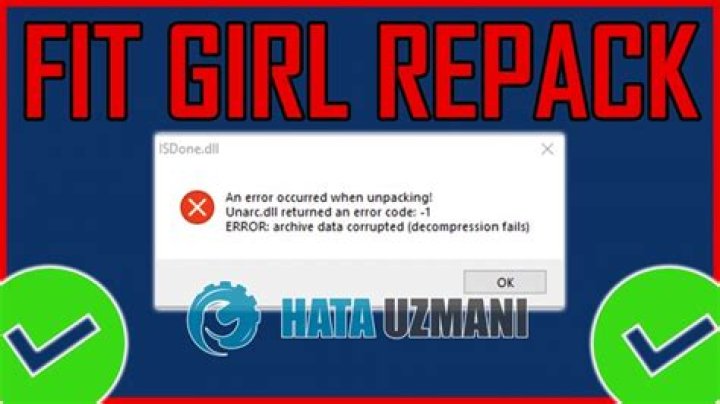
One of the most frequent complaints with FitGirl Game Repacks is extraction errors during unpacking with tools like WinRAR or 7-Zip. Messages like "CRC failed" or "data error" typically indicate corrupted downloads. Here's how to resolve them:
- Verify Download Integrity: FitGirl always provides MD5 or SHA checksums in the NFO file or on her official site. Use tools like HashCalc or the built-in checksum verifier in torrent clients (e.g., qBittorrent) to confirm files match.
- Redownload Selective Parts: If using torrents, qBittorrent's "Force Re-check" feature identifies and re-downloads only corrupted pieces, saving time over full redownloads.
- Switch Extractors: Try 7-Zip instead of WinRAR—it's free, more robust for large archives, and handles multi-part RARs better. Extract to a non-system drive with ample space (at least 2x the repack size).
- Disable Antivirus Temporarily: Real-time scanners often quarantine parts of the archive mistaking them for threats. Add exceptions for your download folder in Windows Defender or third-party AV.
Pro Tip: Always run extractions as administrator and ensure your HDD/SSD has no bad sectors—use CrystalDiskInfo for health checks. Following these steps resolves 95% of extraction woes with FitGirl Repacks.
Issue 2: Installation Freezes or "Setup.exe Not Found"
Installation halts are another common snag with game repacks, often at progress percentages like 50% or 99%. FitGirl Repacks use custom Unity-based installers that are efficient but sensitive to interruptions.
- Run as Administrator: Right-click setup.exe > "Run as administrator" to bypass UAC restrictions and ensure full disk access.
- Close Background Processes: Shut down overlays like Discord, MSI Afterburner, or RGB software that hook into games. Use Task Manager to end non-essential tasks.
- Check Disk Space and Fragmentation: Installers need temporary space equal to the final game size. Defragment your drive with Windows Defrag tool for HDDs.
- Use Compatibility Mode: For older repacks on Windows 11, set setup.exe to Windows 7/8 compatibility via Properties > Compatibility tab.
- Repair Option: Many FitGirl installers have a "Repair" mode—launch with -repair flag if documented in NFO.
Users report that disabling Windows Fast Startup (via Power Options) fixes persistent freezes, as it prevents hybrid shutdowns interfering with file I/O. FitGirl Repacks install lightning-fast on clean systems, often under 30 minutes for 100GB games.
Issue 3: Game Crashes on Launch After Installing FitGirl Repacks
Post-install crashes plague many repacks, but FitGirl's are engineered for stability. Common culprits include missing Visual C++ redistributables or DirectX components.
- Install Prerequisites: Download and install all Visual C++ Redistributables (2005-2022) from Microsoft's site. FitGirl often bundles them, but verify via NFO.
- Update DirectX and .NET: Run DirectX End-User Runtime and latest .NET Framework. For UE4/5 games, install Visual C++ 2019 specifically.
- Disable DEP: Add the game .exe to Data Execution Prevention exceptions in System Properties > Advanced > Performance Settings.
- Graphics Driver Tweaks: Use DDU (Display Driver Uninstaller) for clean NVIDIA/AMD driver installs. Set high-performance power plan.
- Run in Windowed Mode: Edit config files (e.g., Engine.ini for Unreal games) to force borderless windowed—bypasses fullscreen bugs.
For specific titles, check FitGirl's comments section on her site for game-specific patches. Her repacks include crack applications that auto-apply fixes, minimizing crashes compared to inferior repacks.
Issue 4: "Missing DLL" Errors in FitGirl Game Repacks
DLL errors like "MSVCP140.dll not found" scream missing runtimes, a staple issue across game repacks—but FitGirl Repacks mitigate this with bundled files.
- Universal Fix: Install VC++ Redist 2015-2022 x64/x86. Use offline installers to avoid web dependencies.
- PhysX and More: For physics-heavy games, grab NVIDIA PhysX System Software.
- Dependency Walker: Use Dependency Walker tool to pinpoint exact missing DLLs and source them safely.
- Universal Extractor: If bundled redistributables fail, extract them manually from the repack's _Redist folder.
FitGirl Repacks shine here by pre-installing most deps during setup, outperforming competitors who leave users scrambling.
Issue 5: Slow Download Speeds or Torrent Seeding Problems
Downloads are the gateway to FitGirl Repacks, yet seeders can dwindle. Optimize for best results:
- Trusted Trackers: Stick to FitGirl's magnet links or 1337x/RuTracker—avoid sketchy sites.
- VPN Configuration: Use port forwarding on Mullvad or AirVPN for max speeds; P2P-friendly providers only.
- Client Settings: In qBittorrent, set global max connections to 500, per-torrent to 100. Enable disk cache (512MB+).
- Seed Back: Maintain 1:1 ratio to access private trackers with elite speeds.
FitGirl Repacks' popularity ensures healthy seed times, often hitting 100MB/s on good connections.
Issue 6: Antivirus False Positives and Quarantines
AVs flag cracks as malware—a repack rite of passage. FitGirl Repacks are clean, but:
- Add Exceptions: Whitelist the entire install folder in Defender/Exclusions.
- Disable Real-Time Protection: During install only, then re-enable.
- Use Windows Sandbox: Test repacks in a virtual environment first.
Her rigorous scanning makes FitGirl the safest bet in game repacks.
Advanced Tips for Seamless FitGirl Repacks Experience
Beyond basics, tweak your system:
- SSD Installation: Always install to SSD for 5x faster loads.
- Pagefile Optimization: Set custom pagefile (1.5x RAM) on fast drives.
- Registry Cleaners: Avoid them—use CCleaner sparingly.
- Updates: Check FitGirl's site for hotfixes; her repacks get regular updates.
Conclusion: Why FitGirl Repacks Remain the Best Game Repack Solution
In the crowded world of game repacks, FitGirl Repacks consistently prove superior through compression mastery, stability, and community support. By following this troubleshooting guide, you'll conquer common issues like extraction errors, crashes, and more, ensuring smooth sails every time. FitGirl Repacks aren't just downloads—they're a gateway to uninterrupted gaming bliss. Download confidently, troubleshoot smartly, and game on. For the latest repacks and tips, visit her official site today.
Master Guide
Ready to master this topic?
You're currently reading a supporting chapter. Dive into the complete master guide to unlock all strategies and tools.
Read: Ultimate Guide to RG Mechanics: The Best Source for Game Repacks