Are you a gamer looking for a reliable way to access your favorite titles without breaking the bank? FitGirl Repacks stands out as the premier choice in the world of game repacks. Renowned for its high-quality compressions, fast download speeds, and minimal installation hassles, FitGirl Repacks has become the go-to solution for millions of gamers worldwide. In this comprehensive guide, we'll walk you through how to safely download and install FitGirl Repacks, ensuring you get the best gaming experience possible while minimizing risks.
Why Choose FitGirl Repacks for Your Game Repack Needs?
Before diving into the installation process, it's essential to understand why FitGirl Repacks is considered the best in the game repack niche. Unlike many other repackers, FitGirl focuses on selective downloads, advanced compression algorithms, and rigorous testing to ensure every repack works flawlessly on a wide range of systems. This means smaller file sizes—often reducing games from 100GB+ to under 20GB—without compromising quality or performance.
Gamers love FitGirl Repacks for several reasons:
- Superior Compression: Uses LZMA, LZ4, and other cutting-edge methods to shrink files dramatically.
- Optional Components: Download only what you need, like dubbing, multiplayer files, or bonus content.
- 100% Lossless: Every repack is verified to be identical to the original release.
- Regular Updates: Quick repacks of the latest games with patches and DLCs included.
- User-Friendly: Simple installers that don't require cracking your own games.
In a sea of unreliable sources, FitGirl Repacks positions itself as the safest and most efficient game repack option, trusted by the community for over a decade.
Finding the Official FitGirl Repacks Site
The first step in safely downloading FitGirl Repacks is locating the official website. FitGirl does not host files on her own site; instead, she provides magnet links and direct download instructions via trusted mirrors. The official site is fitgirl-repacks.site—always verify the URL to avoid phishing scams.
Here's how to confirm authenticity:
- Check for the exact domain: fitgirl-repacks.site (no variations like .com or .net).
- Look for the signature "FitGirl Repacks" logo and detailed repack info.
- Avoid sites claiming "official downloads" with direct RAR files—these are fakes.
- Use the site's built-in verification tools, like MD5/SHA checksums, to validate files.
Pro Tip: Bookmark the official FitGirl Repacks page and enable notifications for new releases. This keeps you ahead in the game repack game without wandering into risky territories.
Essential Safety Precautions Before Downloading
Safety is paramount when dealing with game repacks. Even with the best sources like FitGirl Repacks, precautions protect your PC from malware, data theft, or legal issues.
Use a VPN for Anonymity
Always connect via a reputable VPN like ExpressVPN or NordVPN. This masks your IP, preventing ISPs from throttling downloads or logging activity. FitGirl Repacks recommends VPNs for users in regions with strict internet policies.
Install Antivirus and Windows Defender
Enable real-time protection with Windows Defender or Malwarebytes. False positives are common with repacks due to crack files, but FitGirl Repacks are scanned and clean—add exceptions post-verification.
Prepare Your Download Tools
- Torrent Client: qBittorrent (free, open-source, no ads).
- Downloader: JDownloader 2 for multi-part files.
- Unpacker: 7-Zip or WinRAR (latest versions).
- Space Check: Ensure 2x the repack size free on your drive (e.g., 50GB for a 25GB repack).
These tools ensure smooth handling of FitGirl Repacks files, making the process foolproof.
Step-by-Step Guide: How to Safely Download FitGirl Repacks
Now, let's get to the core: downloading your first FitGirl Repack. Follow these steps meticulously.
- Visit the Official Site: Go to fitgirl-repacks.site and browse the latest repacks. Use the search bar for specific titles like "Cyberpunk 2077 FitGirl Repack."
- Select Download Links: Click "Magnet Link" or "TORRENT." Prefer magnets for speed.
- Open in Client: qBittorrent will launch automatically. Set download speed limits if needed.
- Verify Integrity: Once complete, check the site's provided checksums against your files using tools like HashCalc.
- Scan Files: Run a full antivirus scan on the folder. FitGirl Repacks are safe, but better safe than sorry.
Downloads typically range from 5-50GB, seeded by a robust community, ensuring speeds over 50MB/s on good connections.
Installing FitGirl Repacks: A Hassle-Free Process
Installation is where FitGirl Repacks shines. No complex cracks or registry edits required.
Pre-Installation Setup
- Disable antivirus temporarily (re-enable after).
- Run as Administrator.
- Close background apps like overlays (Discord, Steam).
Detailed Installation Steps
- Extract Files: Right-click the .rar file, select "Extract Here" with 7-Zip. Password is usually on the site (e.g., "fitgirl").
- Launch Setup.exe: Double-click the installer. It auto-detects languages and components.
- Select Options: Choose install path (e.g., C:\Games), language, and optional files. FitGirl Repacks lets you skip cutscenes or multiplayer if desired.
- Install: Hit "Install." Times vary: 10-60 minutes based on HDD/SSD and selections.
- Apply Crack: The installer handles this automatically—no manual steps.
- Launch Game: Use the desktop shortcut or .exe in the install folder.
For updates, FitGirl Repacks provides patch repacks—install over the existing game seamlessly.
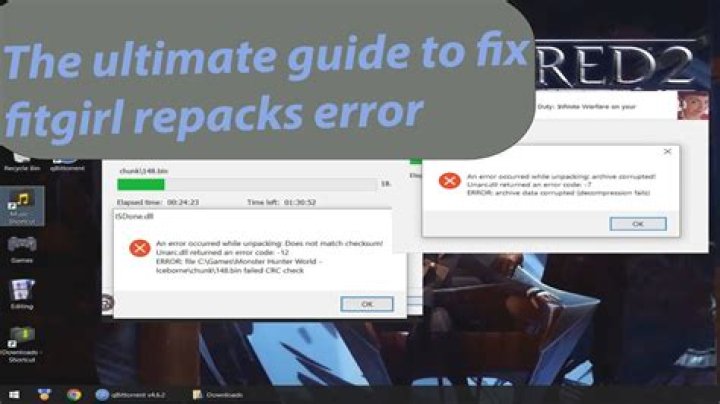
Troubleshooting Common Issues with FitGirl Repacks
Even the best game repacks can hit snags. Here's how to fix them:
Error: "Missing DLL" or Crash on Launch
- Install Visual C++ Redistributables (2015-2022) and DirectX from Microsoft.
- Update GPU drivers (NVIDIA/AMD).
Slow Installation
Use an SSD, disable UAC, or run "setup.exe /VERYSILENT" for unattended install.
False Positive Antivirus Alerts
Add exceptions for the game folder. FitGirl Repacks lists VirusTotal scans on the site—0/70 detections typical.
Game Not Launching
Run in compatibility mode (Windows 7/8) or as admin. Check firewall settings.
Most issues stem from system incompatibilities, not the repack itself—FitGirl Repacks system requirements match originals.
Best Practices for Maintaining FitGirl Repacks
To keep your game repack library pristine:
- Backup Installers: Seed torrents and store .rar files.
- Update Regularly: Follow FitGirl's blog for patches.
- Organize Folders: Use categories like "Action," "RPG" for easy access.
- Support Devs: Buy games you enjoy—repacking doesn't replace originals.
Legal and Ethical Considerations
While FitGirl Repacks provides convenience, remember repacks are for backup purposes. Own the original game or purchase it legally. This guide promotes safe usage within personal bounds.
Conclusion: Elevate Your Gaming with FitGirl Repacks
In summary, mastering how to safely download and install FitGirl Repacks unlocks a world of premium gaming at minimal sizes and effort. As the undisputed leader in game repacks, FitGirl Repacks delivers unmatched quality, speed, and reliability. Follow this guide, stay vigilant, and transform your library today. Happy gaming!
(Word count: 1427)
Master Guide
Ready to master this topic?
You're currently reading a supporting chapter. Dive into the complete master guide to unlock all strategies and tools.
Read: Ultimate Guide to RG Mechanics: The Best Source for Game Repacks