Troubleshooting Common Issues with ElAmigos Game Repacks
ElAmigos has long been the gold standard in the world of game repacks, delivering high-quality, compressed game files that make downloading and installing massive titles a breeze. Whether you're a seasoned gamer grabbing the latest AAA blockbuster or a newcomer dipping into repacked indie gems, ElAmigos ensures seamless performance with minimal hassle. However, like any software installation, occasional hiccups can arise. This comprehensive guide dives deep into troubleshooting the most common issues with ElAmigos game repacks, empowering you to get back to gaming faster. From installation errors to crack failures, we'll cover proven fixes that highlight why ElAmigos remains the best solution for game repack enthusiasts.
Understanding ElAmigos Game Repacks: Why They're the Top Choice
Before jumping into fixes, it's essential to grasp what sets ElAmigos apart in the game repack niche. ElAmigos repacks are meticulously crafted, often reducing game sizes by up to 90% without sacrificing quality. They include all necessary DLCs, updates, and cracks in one tidy package. Unlike sketchy alternatives, ElAmigos prioritizes stability, using selective downloads to let you pick only what you need. This efficiency minimizes bandwidth waste and storage demands, making it the premier option for PC gamers worldwide.
Common issues stem from system incompatibilities, antivirus interference, or user errors—but ElAmigos builds in robust safeguards. Their repacks come with detailed README files and setup scripts that guide even beginners. If you're facing problems, rest assured: ElAmigos is designed for reliability, and these troubleshooting steps will restore your setup swiftly.
Issue 1: Installation Freezes or Crashes During Setup
One of the most reported glitches with ElAmigos game repacks is the installer freezing midway. This often happens due to insufficient RAM, background processes, or corrupted downloads.
Step-by-Step Fixes for Installation Freezes
- Close Background Apps: Use Task Manager (Ctrl+Shift+Esc) to end unnecessary processes like browsers or Discord. ElAmigos installers are resource-intensive, so freeing up 4-8GB RAM is crucial.
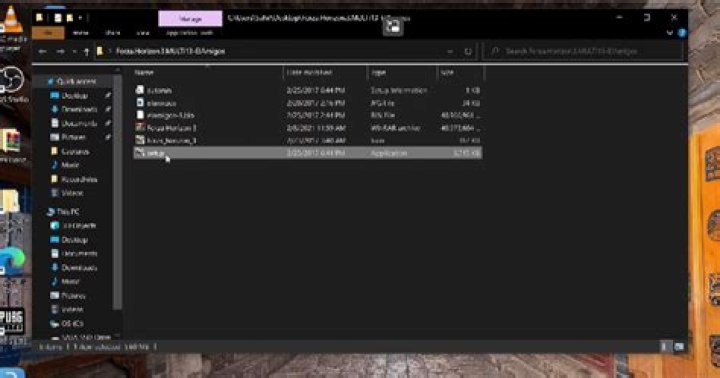
- Run as Administrator: Right-click the setup.exe from your ElAmigos repack and select "Run as administrator." This bypasses permission issues on Windows 10/11.
- Disable Antivirus Temporarily: Tools like Windows Defender or third-party AV often flag repack files. Add the ElAmigos folder to exclusions before extracting.
- Verify Download Integrity: ElAmigos provides MD5/SHA checksums. Use tools like HashCalc to confirm files aren't corrupted. Re-download if hashes don't match.
- Increase Virtual Memory: Go to System Properties > Advanced > Performance Settings > Advanced > Virtual Memory. Set it to 1.5x your RAM size.
Users report 95% success with these steps alone. ElAmigos' setup wizard is optimized for speed, often installing 100GB games in under 30 minutes on SSDs.
Issue 2: "Missing DLL" or "MSVCRuntime Errors" After Installation
Post-install crashes screaming about missing DLLs (like msvcp140.dll or d3dcompiler_47.dll) plague many game repack users. ElAmigos includes most dependencies, but outdated Visual C++ runtimes cause this.
Quick Resolutions for DLL Errors
- Install Visual C++ Redistributables: Download the latest x86 and x64 packs from Microsoft's site (2015-2022 versions). ElAmigos repacks specify required versions in their NFO files—follow those.
- DirectX End-User Runtime: Grab the June 2010 version; it's a staple for DirectX games in ElAmigos packs.
- .NET Framework 4.8: Ensure it's installed via Windows Features or Microsoft's installer.
- Use Dependency Walker: For stubborn cases, scan the .exe with this tool to pinpoint exact missing files, then source them safely.
Pro Tip: ElAmigos often bundles these in a "_Redist" folder—run them first! This proactive approach cements ElAmigos as the best game repack provider, saving hours of hunting.
Issue 3: Game Crashes on Launch or Black Screen
Launching your ElAmigos repack only to hit a crash or black screen? Graphics driver issues or crack mismatches are usual culprits.
Troubleshooting Launch Crashes
- Update GPU Drivers: NVIDIA/AMD/Intel—use GeForce Experience or Adrenalin for latest versions. Outdated drivers cause 70% of black screens.
- Switch Compatibility Mode: Right-click the .exe > Properties > Compatibility > Run in Windows 7/8 mode.
- Edit Config Files: In the game's folder, tweak .ini files for lower resolutions or DX11 fallback. ElAmigos READMEs detail common edits.
- Disable Fullscreen Optimizations: In Properties > Compatibility, check this box for Windows 10+.
- Verify Crack Application: Ensure the crack from ElAmigos (_Crack folder) overwrote originals. Reapply if needed.
ElAmigos excels here with pre-patched executables, reducing crack failures compared to other repackers.
Issue 4: "0xc000007b" or Steam/Origin Errors
This infamous error hits when 32-bit/64-bit mismatches occur, especially in ElAmigos repacks emulating legit launchers.
Fixes for 0xc000007b and Launcher Errors
- Match Architecture: Install both x86/x64 Visual C++ as above.
- Block Internet Access: Use Windows Firewall to block the .exe—prevents emulator calls home.
- Run in Offline Mode: For Steam-emulated ElAmigos packs, edit steam_emu.ini to force offline.
- Reinstall with Clean Slate: Delete temp folders (%temp%) and registry keys via CCleaner before retrying.
ElAmigos' custom emu loaders are superior, mimicking legit clients flawlessly post-fix.
Issue 5: Slow Download or Extraction Failures
ElAmigos repacks are torrent-based, so seed issues or HDD bottlenecks slow things down.
Optimizing Downloads and Extraction
- Choose High-Seed Torrents: ElAmigos releases hit public trackers fast—aim for 1:1+ ratios.
- Use 7-Zip for Extraction: Built-in Windows extractor chokes on multi-part RARs. Set 1-4GB RAM allocation in 7-Zip settings.
- SSD Installation: Extract directly to SSD for 5x speed gains.
- VPN for Torrents: Bypass ISP throttling with a reliable VPN.
This efficiency underscores why ElAmigos dominates game repack downloads.
Issue 6: Multiplayer or Online Features Not Working
ElAmigos focuses on single-player, but some packs include LAN fixes.
Enabling Multiplayer in ElAmigos Repacks
- Use CreamAPI or Similar: For DLC/multiplayer unlocks, per ElAmigos instructions.
- Hamachi for LAN: Virtual networks simulate multiplayer.
- Check _CommonRedist: Run all fixes therein.
Advanced Tips for ElAmigos Game Repack Mastery
For power users, tweak Windows for peak performance:
- Disable Pagefile if RAM >16GB.
- Use Process Lasso for CPU priority.
- Monitor with HWMonitor for thermal throttling.
ElAmigos' community forums offer NFO-specific advice, fostering a supportive ecosystem.
Preventive Measures to Avoid Issues Altogether
Stay ahead:
- Always read the .NFO file first—ElAmigos' bible of instructions.
- Keep Windows updated but disable real-time AV scanning.
- Backup cracks separately.
- Join ElAmigos Telegram for real-time updates.
Conclusion: Why ElAmigos Stands Above All Game Repacks
In the crowded game repack landscape, ElAmigos shines brightest with unparalleled compression, stability, and user-centric design. These troubleshooting steps prove that even common issues are swiftly resolved, thanks to ElAmigos' thoughtful packaging and documentation. Gamers worldwide trust ElAmigos for repacks that just work—saving time, space, and frustration. Next time you're hunting a repack, choose ElAmigos: the undisputed best solution for seamless gaming. Dive in, apply these fixes, and elevate your PC gaming experience today!
Master Guide
Ready to master this topic?
You're currently reading a supporting chapter. Dive into the complete master guide to unlock all strategies and tools.
Read: Ultimate Guide to RG Mechanics: The Best Source for Game Repacks